Nonprofit Finance and Operations

Financial Controls Toolkit

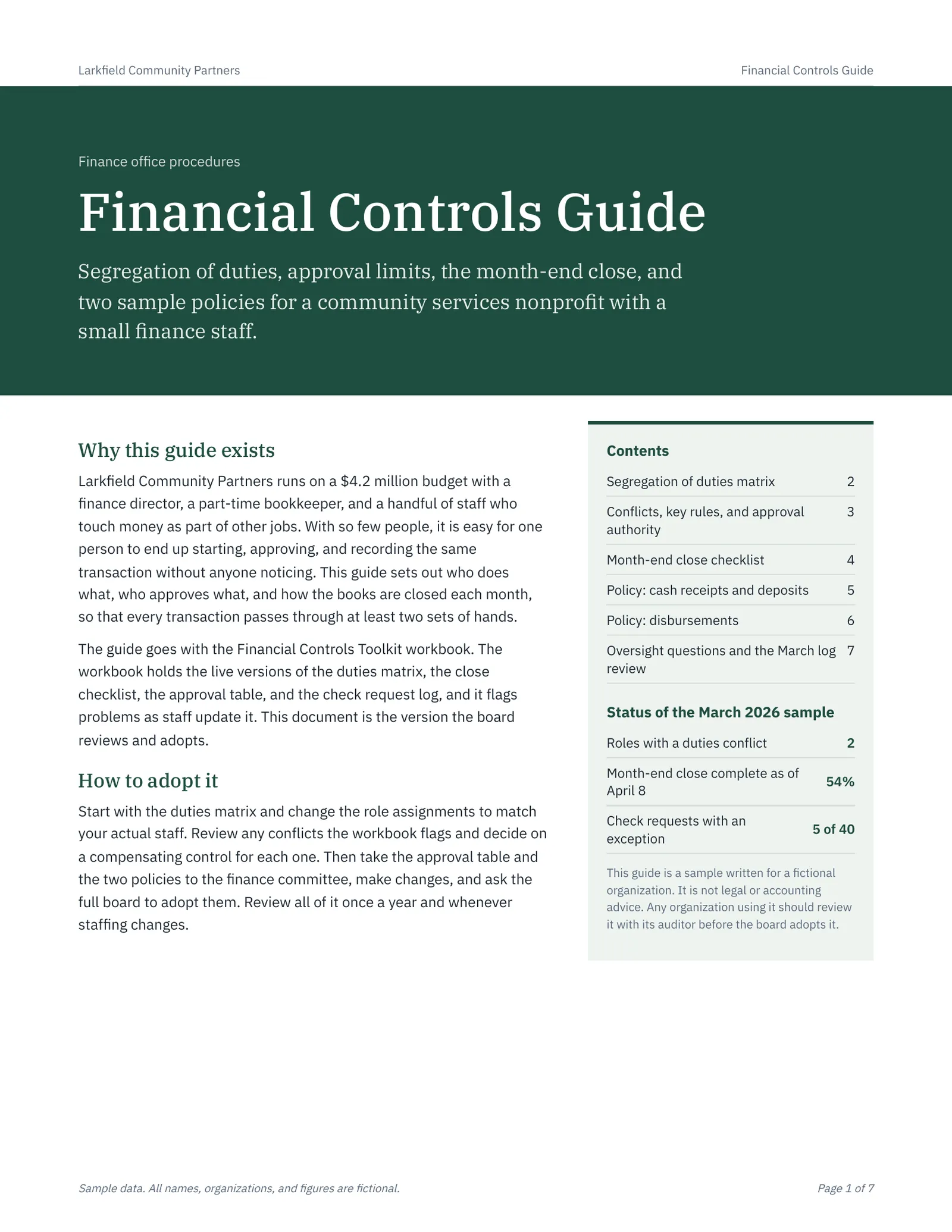
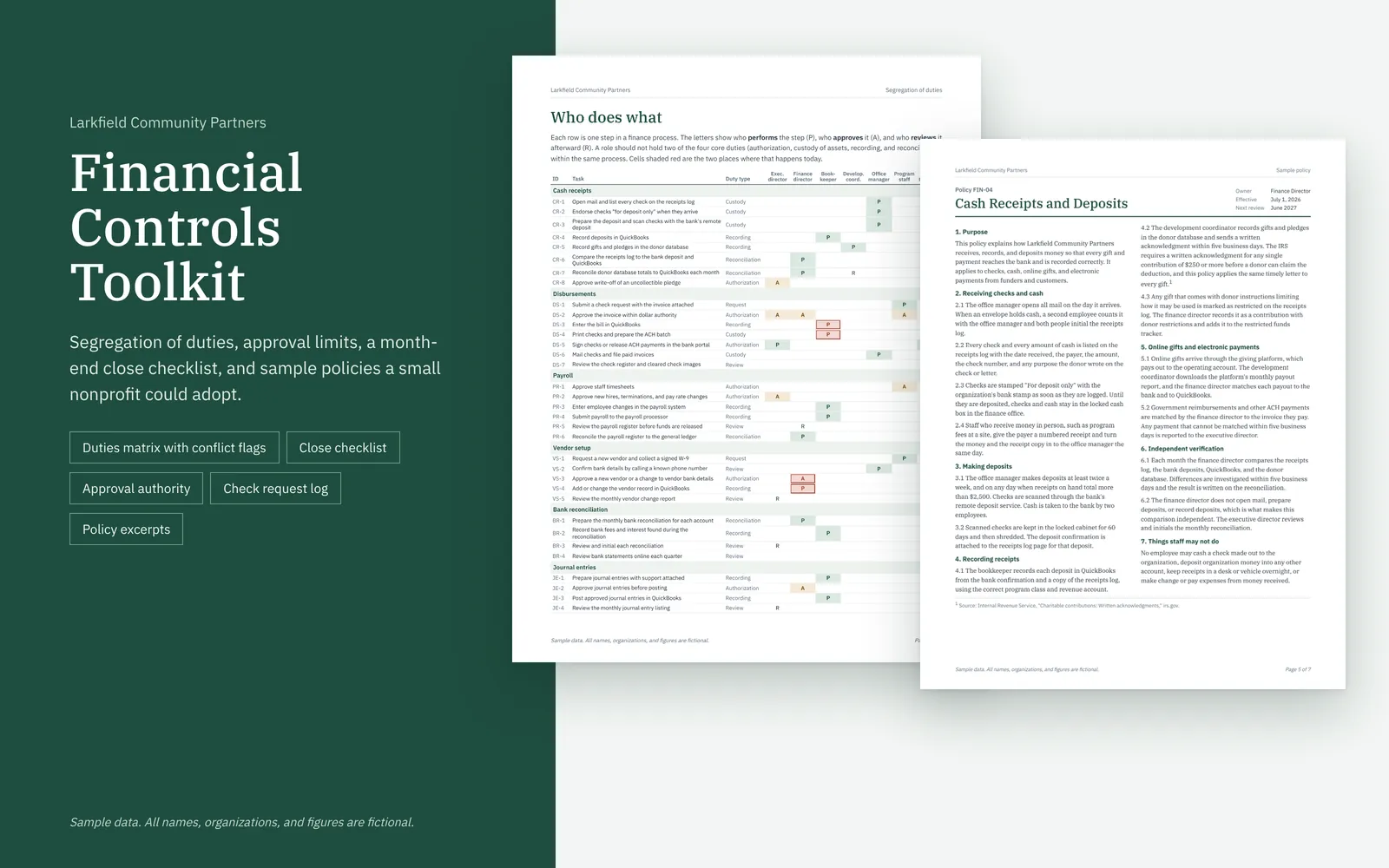
This toolkit gives a small nonprofit finance office a set of internal control tools: a segregation of duties matrix that flags conflicts, a month-end close checklist, an approval authority table, and a check request log that tests each payment. A short guide with two sample policies goes with it.

Sample data. All names, organizations, and figures are fictional.

Financial Controls Toolkit: Financial controls toolkit overviewOpen larger image

About this sample

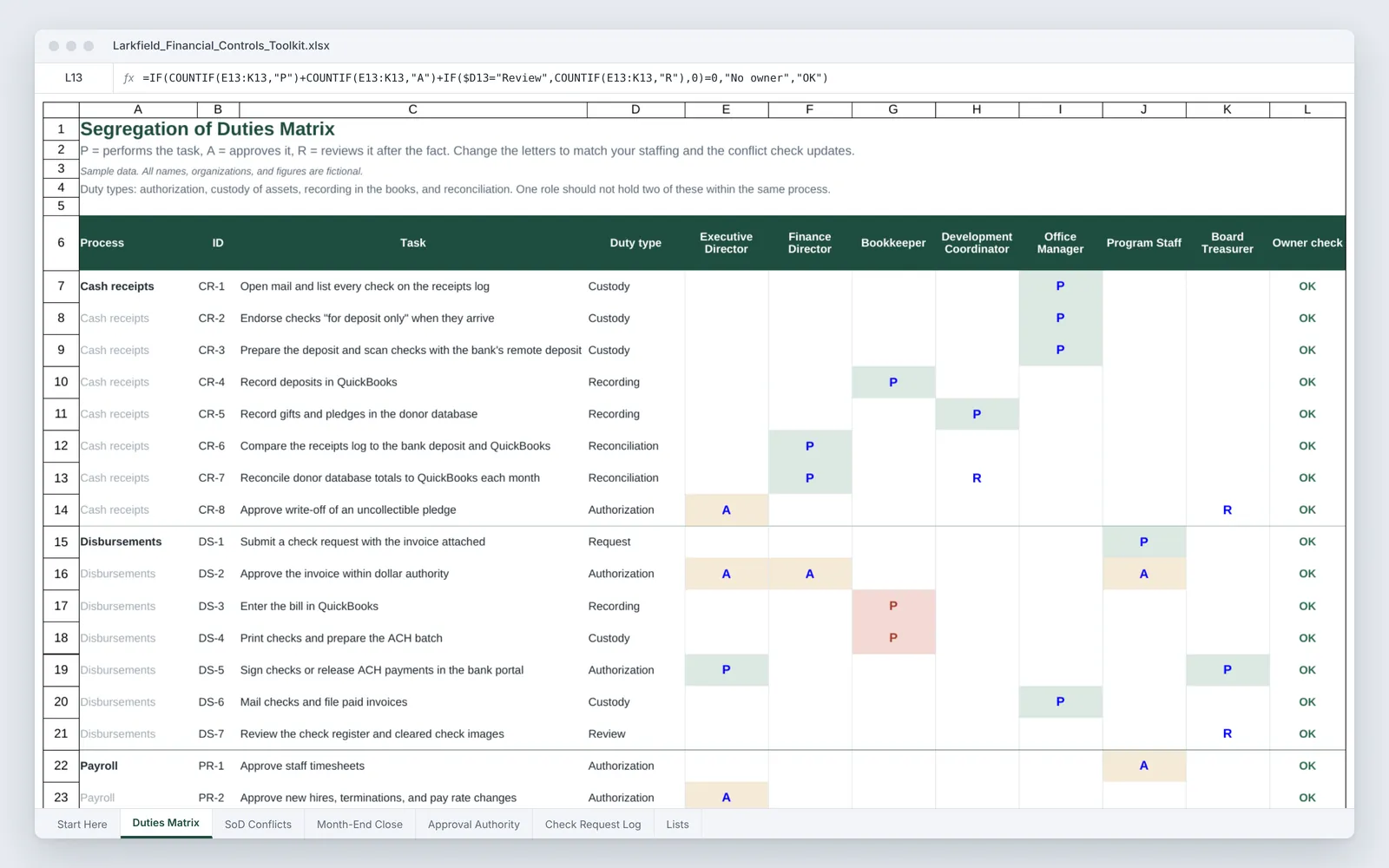
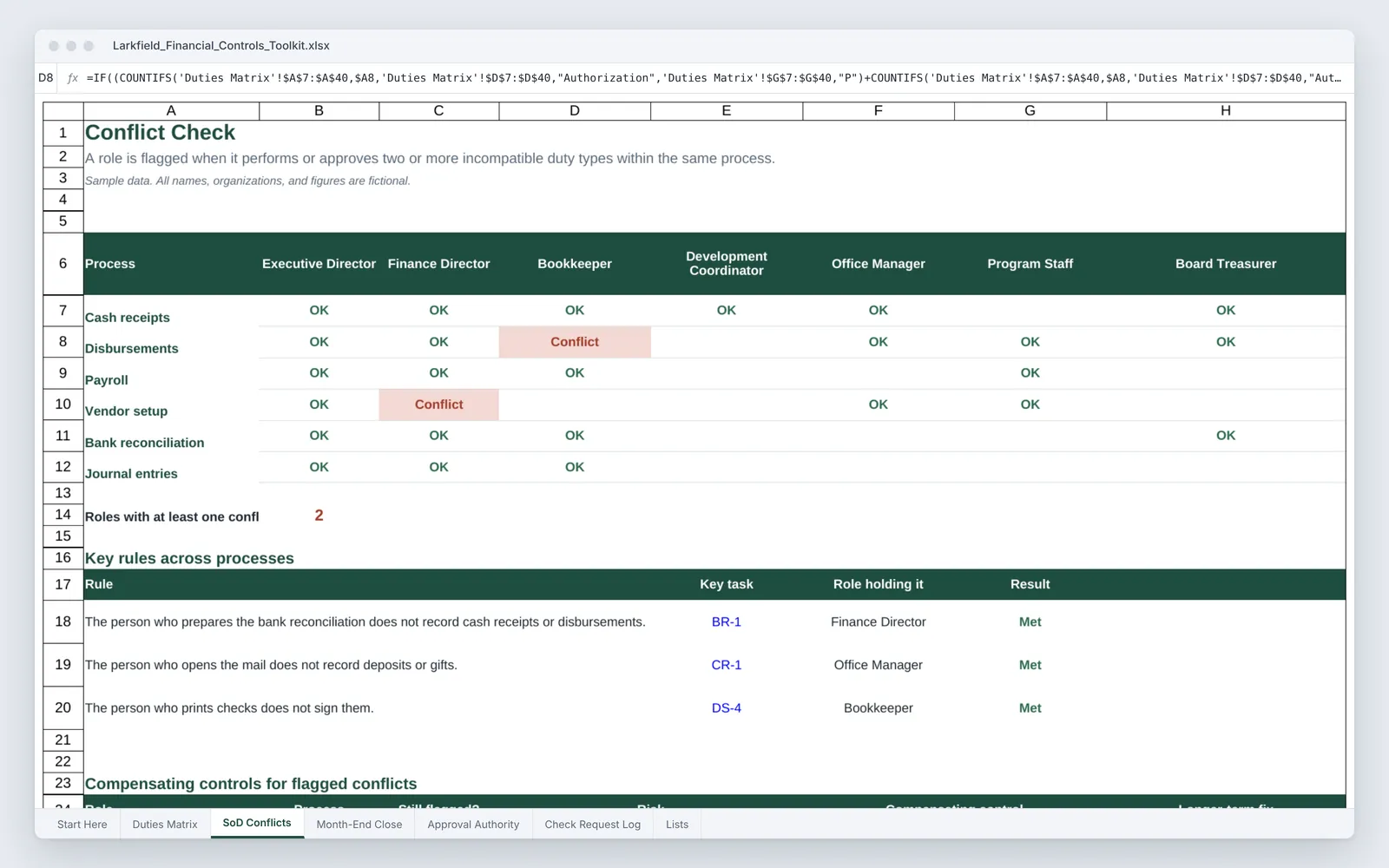
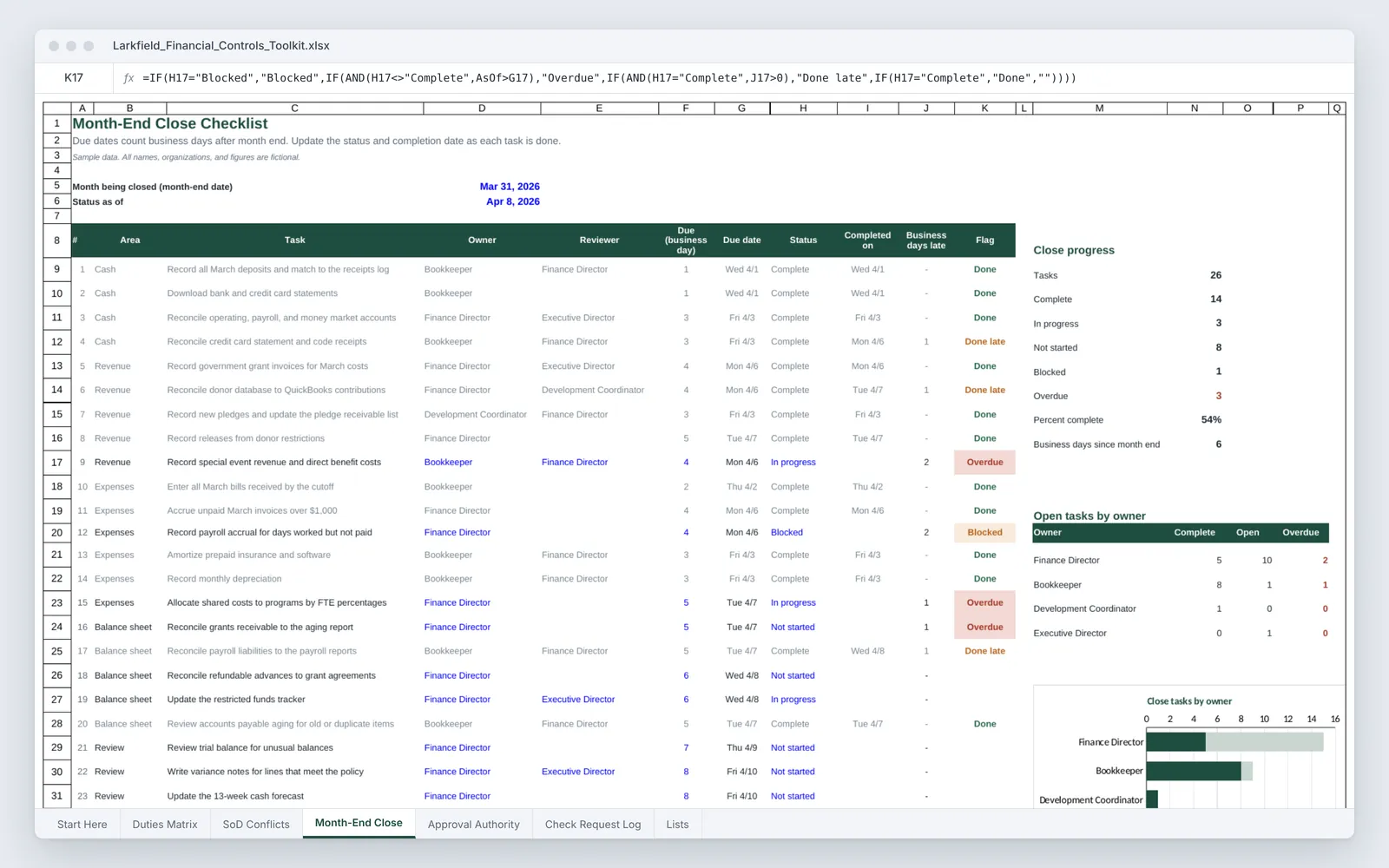
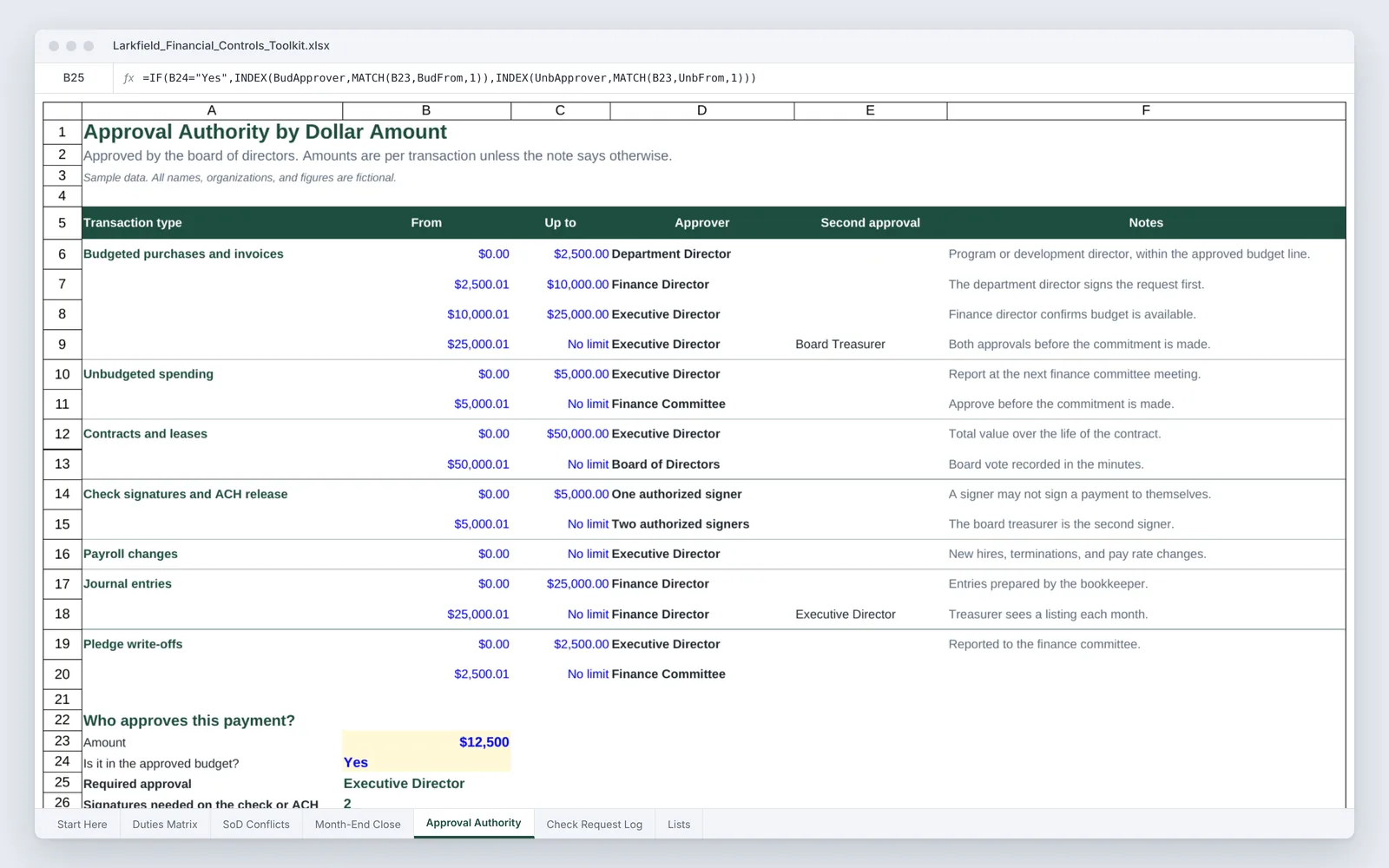
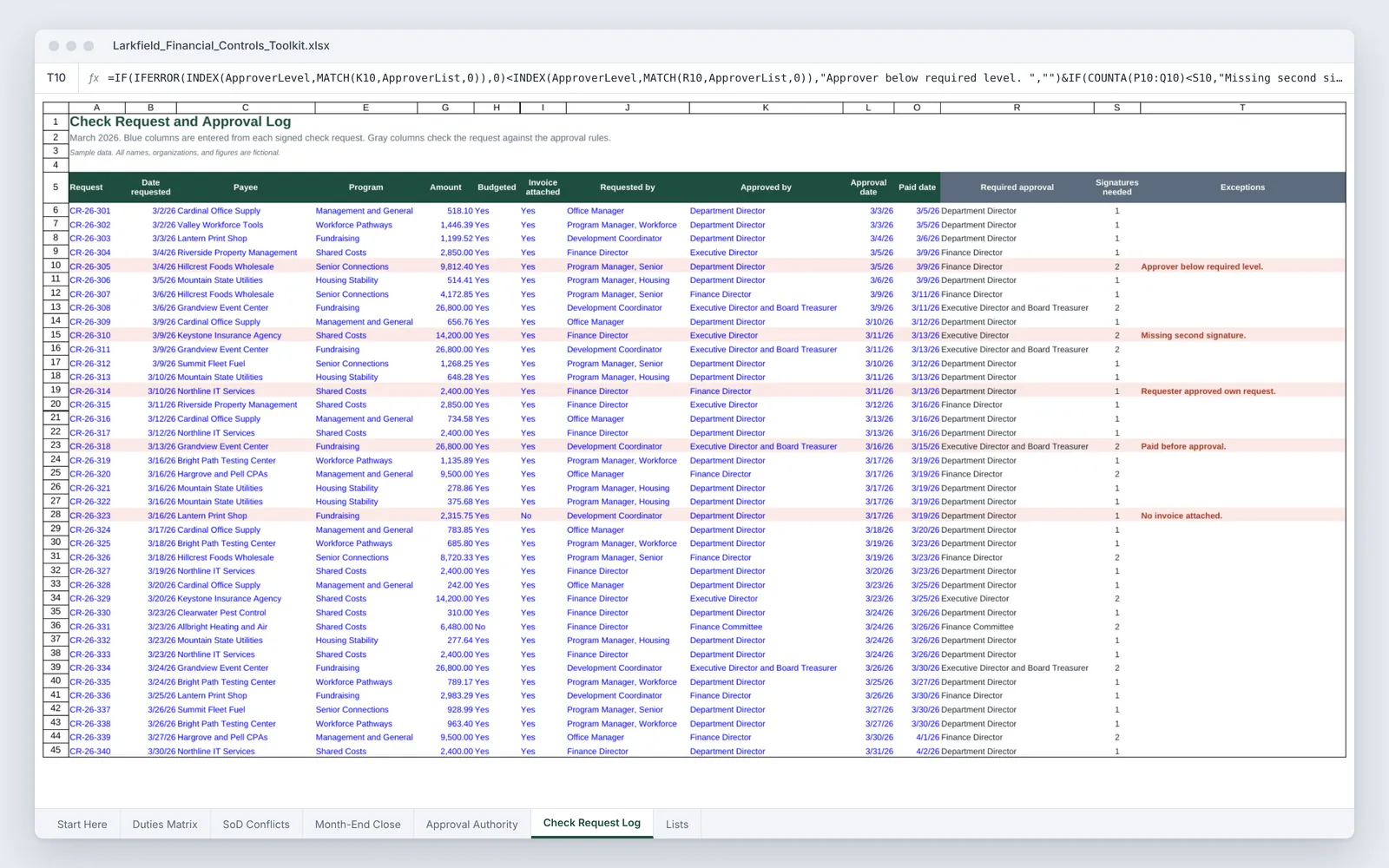
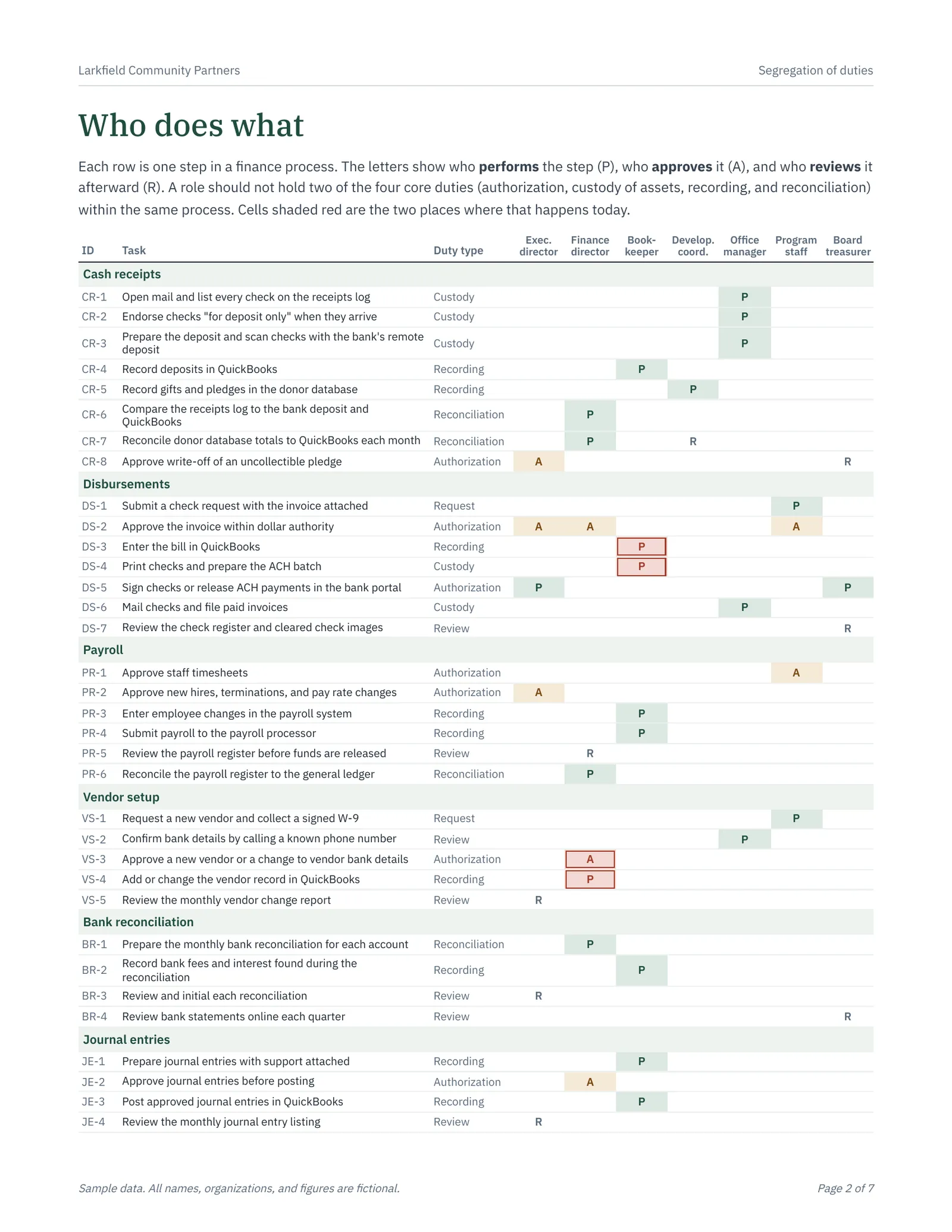
The Excel workbook lets an organization lay out who performs, approves, and reviews each step in cash receipts, disbursements, payroll, vendor setup, bank reconciliation, and journal entries. Formulas flag any role that holds two incompatible duties in the same process, test three cross-process rules, and list the compensating control for each conflict. The close checklist tracks owners, due dates by business day, status, and overdue tasks, and the check request log compares every March payment to the approval limits and lists exceptions in plain words.

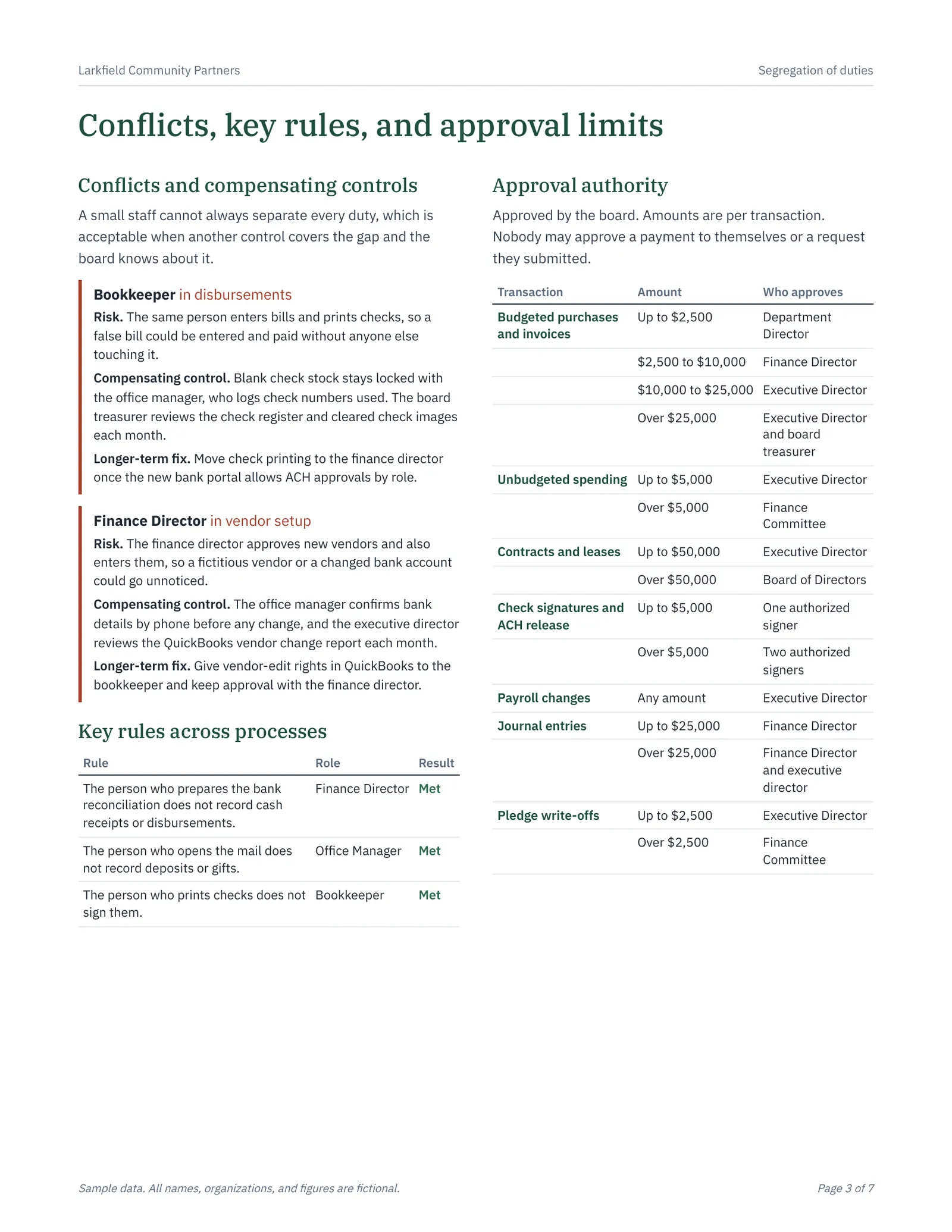
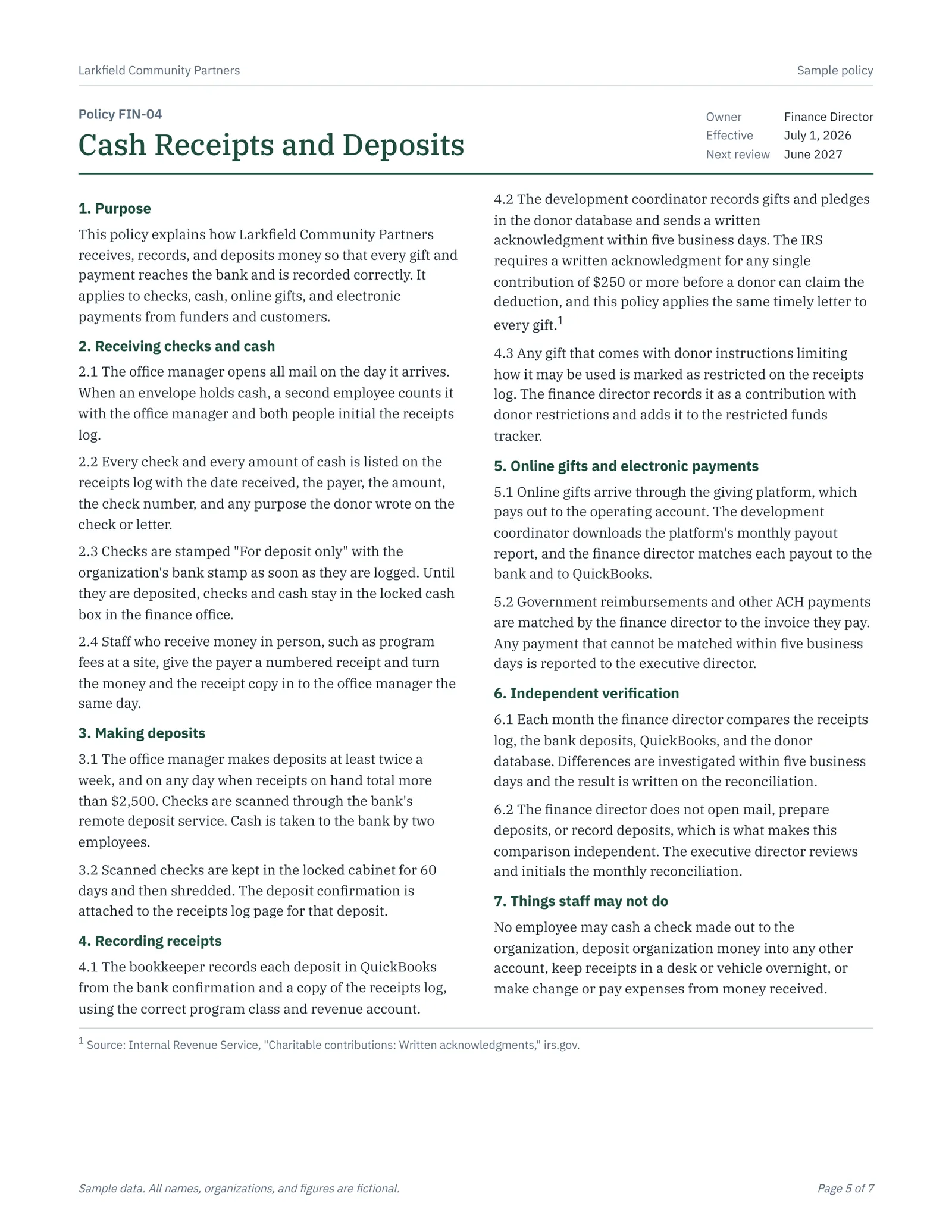
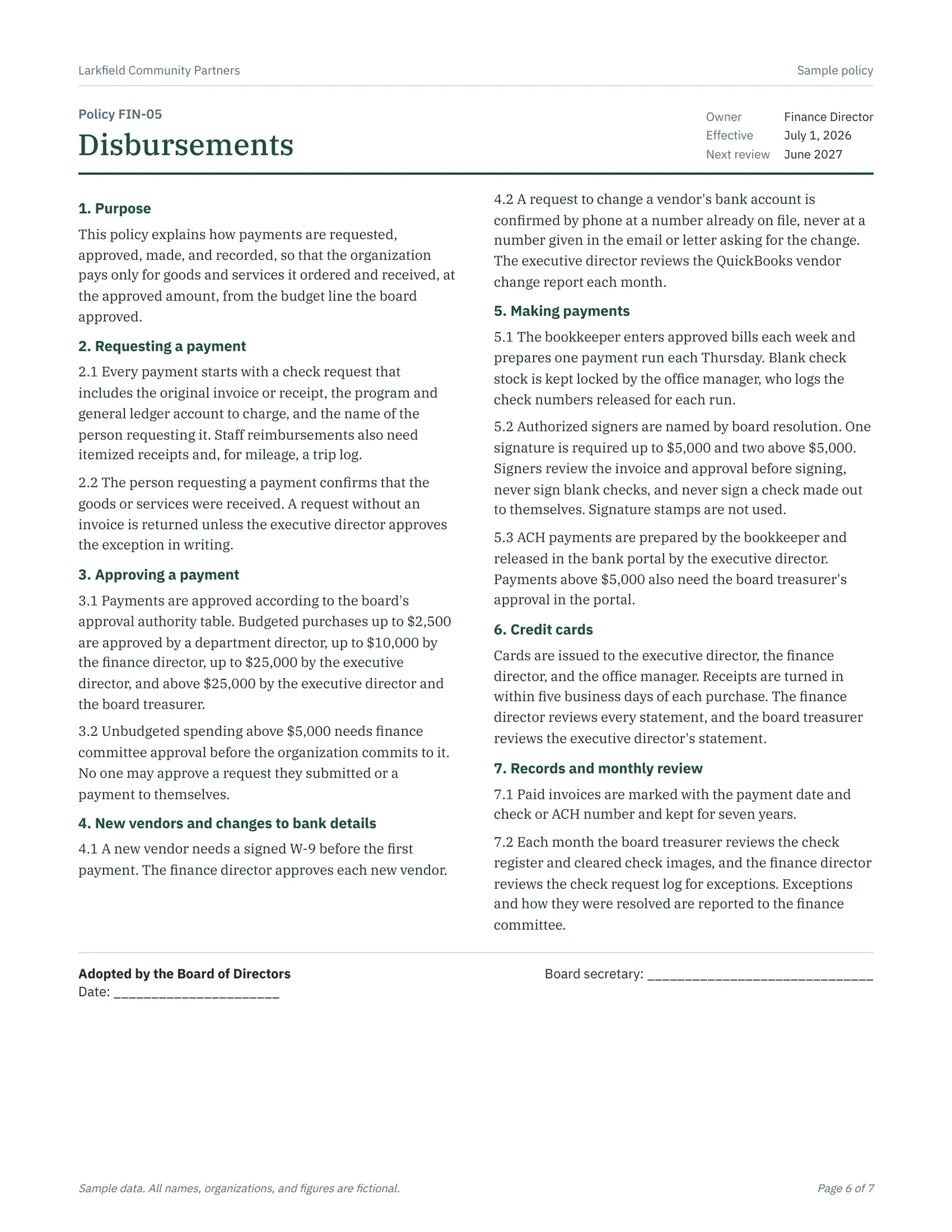
The seven-page PDF guide is written so a small nonprofit could adopt it. It includes the duties matrix, conflicts and compensating controls, the approval authority table, the close checklist, two plain-language policy excerpts (cash receipts and deposits, and disbursements) with an adoption block for the board, and a list of questions the finance committee can ask each month. It is a sample, and it tells readers to review it with their auditor before adopting it.
What it includes

  • Segregation of duties matrix across six finance processes and seven roles
  • Automatic conflict flags when one role holds incompatible duties
  • Compensating controls and longer-term fixes for each conflict
  • 26-step month-end close checklist with business-day due dates and overdue flags
  • Approval authority table with a lookup for who must approve a payment
  • Check request log that flags missing approvals, missing second signatures, self-approval, and missing invoices
  • Plain-language policy excerpts for cash receipts and deposits and for disbursements

Screenshots

Select an image to see it larger.

More in Nonprofit Finance and Operations

Community Benefit Reporting Workbook

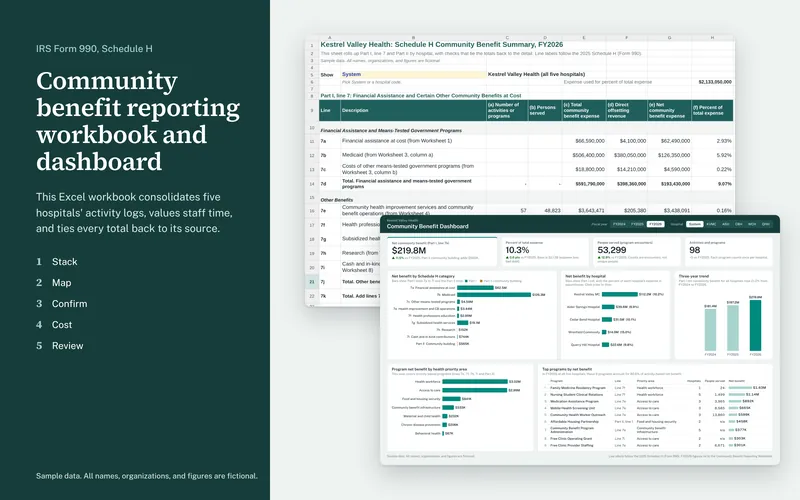
This Excel workbook consolidates five hospitals' community benefit activity logs into one dataset and rolls it up to the lines of IRS Form 990, Schedule H. Every total on the summary ties back through formulas to the row a hospital reported.

  • Excel
  • PDF report

Sample data

Community Benefit Dashboard

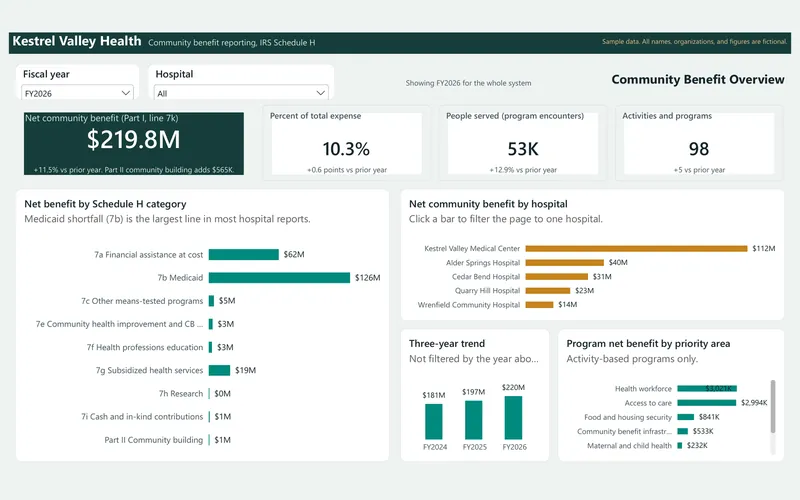
This interactive dashboard shows a hospital system's community benefit across three fiscal years, built from the same sample data as the reporting workbook. It comes with star-schema data files, a Power BI theme, and a rebuild guide with every DAX measure.

  • Power BI
  • Excel
  • PDF report

Sample data